



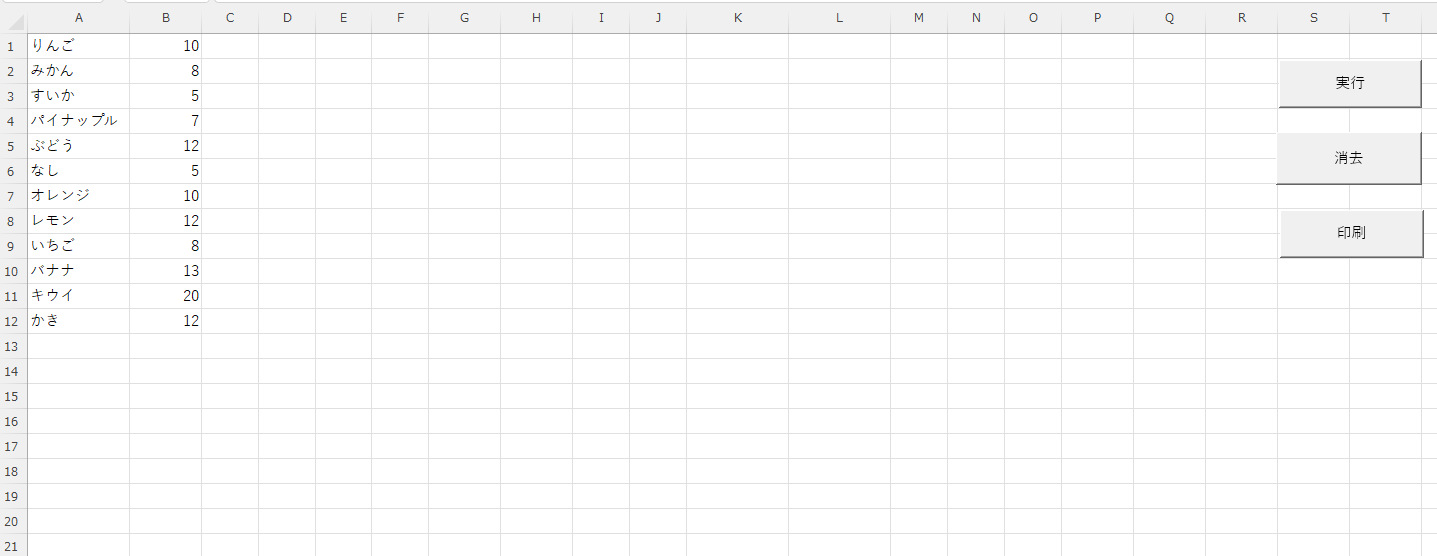
展示場の作品の配置表を作りたい。
展示品はいくつかのグループに属しており、点数は未定である。
各グループ名を、縦5行・横は必要数の表に、上から下、左から右へ順に配置して自動で作表したい。

ひばり教室松本:
関数だと式が見にくくなりメンテが悪いのでマクロをつかいました。
| Sub OrganizedRepeatText() Dim i As Long, j As Long, lastRow As Long Dim targetRow As Long, targetCol As Long, count As Long Dim columnNumber As Long, totalDataCount As Double Dim startRow As Long, currentBVal As Variant’ — 初期設定とエラーチェック — lastRow = Cells(Rows.count, 1).End(xlUp).Row If lastRow < 1 Then Exit Sub’ B列の合計を確認(エラー回避のため) totalDataCount = Application.WorksheetFunction.Sum(Range(“B1:B” & lastRow)) If totalDataCount <= 0 Then MsgBox “B列に有効な数値がありません。”, vbExclamation Exit Sub End If’ 処理高速化のため画面更新を停止 Application.ScreenUpdating = False’ — リセット処理 — ‘ G列(7)から右端までの全セルをクリア Range(Columns(7), Columns(Columns.count)).Clear’ — 変数初期化 — targetCol = 7 ‘ G列 startRow = 1 ‘ ヘッダー行の開始位置 targetRow = 2 ‘ データの開始位置 columnNumber = 1 ‘ ヘッダーの連番 count = 0 ‘ 累計データ数’ 最初のヘッダー作成 Call ApplyHeaderStyle(Cells(startRow, targetCol), columnNumber)’ — メイン処理ループ — For i = 1 To lastRow currentBVal = Cells(i, 2).Value’ B列が正の数値の場合のみ処理 If IsNumeric(currentBVal) And currentBVal > 0 ThenFor j = 1 To Int(currentBVal) ‘ 1. データの記入と中央揃え With Cells(targetRow, targetCol) .Value = Cells(i, 1).Value .HorizontalAlignment = xlCenter End Withcount = count + 1 targetRow = targetRow + 1’ 全データ記入済みなら終了 If count >= totalDataCount Then GoTo Finish ‘ 2. 5行(1列分)書き終えたら次の列へ ‘ P列(16)まで到達したか判定 targetRow = startRow + 1 End If Finish: MsgBox “完了しました!”, vbInformation ‘ ヘッダー専用の書式設定 |
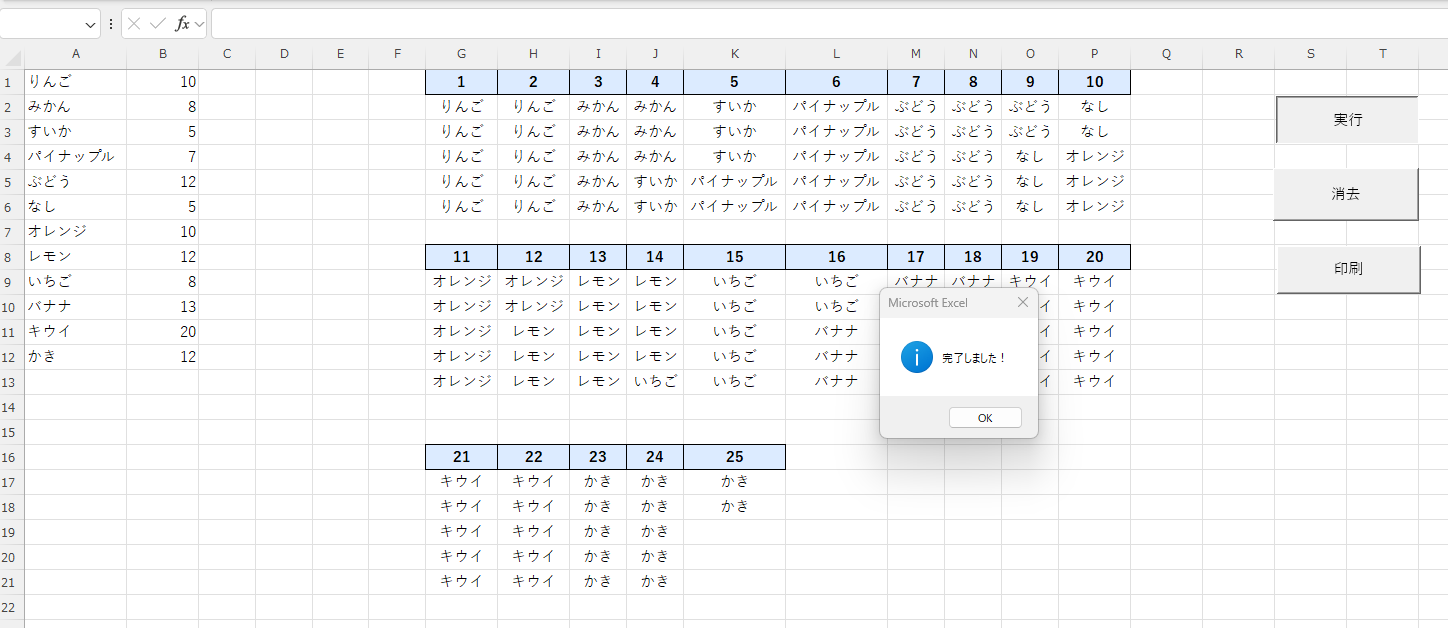
マクロを使えば手作業で1時間かかっていた作業も一瞬で終わります。
Aiに頼めばそのマクロも数秒で作ってくれます。独学では壁が高い。
ピーシーライブなら体験授業は4時間まで無料です。お気軽にご相談を
